2026, generative ai
A product campaign on 100 credits
Product stills, a wordmark, a palette, social assets and two vertical ads for a fictional cold brew brand, made on Higgsfield from Claude Code for 57 of a 100 credit budget, and the prompting rules it took to get there.
I set out to learn a generative media platform as a creative studio, driven from Claude Code, with a hard budget of 100 credits. The brief was a fictional brand, Northwind Cold Brew, and breadth over polish: product, branding, social and video, so the result is a set of artifacts and a list of findings rather than one perfect ad.
It came to 57.12 credits across nineteen jobs, plus three pieces built locally for free. Every charge matched its quote to the cent. The four cut ad, with the prompts behind every frame, is written up in A 27 Credit AI Product Ad.
| Stage | Jobs | Credits |
|---|---|---|
| A first mechanics pass | 3 | 5.62 |
| Product stills | 5 | 0.86 |
| Branding | 2 | 2.75 |
| Social assets | 2 | 2.12 |
| The four cut ad | 6 | 15.62 |
| Hypermotion | 1 | 30.15 |
| Total | 19 | 57.12 |
One job is more than half the bill. That is the shape of the whole project: the cheap models buy the knowledge, and the expensive one spends it.
Price first, animate last
A still from the cheapest competent image model cost 0.12 credits. A five second 720p clip cost 5. One clip is about forty stills, so all the deciding happens on stills, and only a frame that is already right gets animated.
Two calls come before any spend, and both are free: one that lists what a model accepts, and one that quotes the exact call. The first is the more useful. It said, before anything was wasted, that the cheap image model refuses to combine a style with image references and has no text parameter at all, because it cannot render text.
The second is where the surprises are. Resolution pricing follows no pattern between models:
| Model | Cheap | Expensive |
|---|---|---|
| Soul 2.0 | 1.5k: 0.12 | 2k: 0.12, so always take it |
| GPT Image 2.5 | 1k: 0.25 | 2k high: 2.75 |
| Recraft v4.1 | 1k: 1.25 | 2k: 8, a 6.4x cliff |
| Nano Banana Pro | 1k and 2k: 2 | 4k: 4 |
| Grok Imagine Lite (video) | 480p and 720p: 5 | 1080p: 20 |
Product stills: negatives attract what they name
The goal was a clean, unbranded matte black can. It took three attempts on Soul 2.0, and the failures taught more than the success.
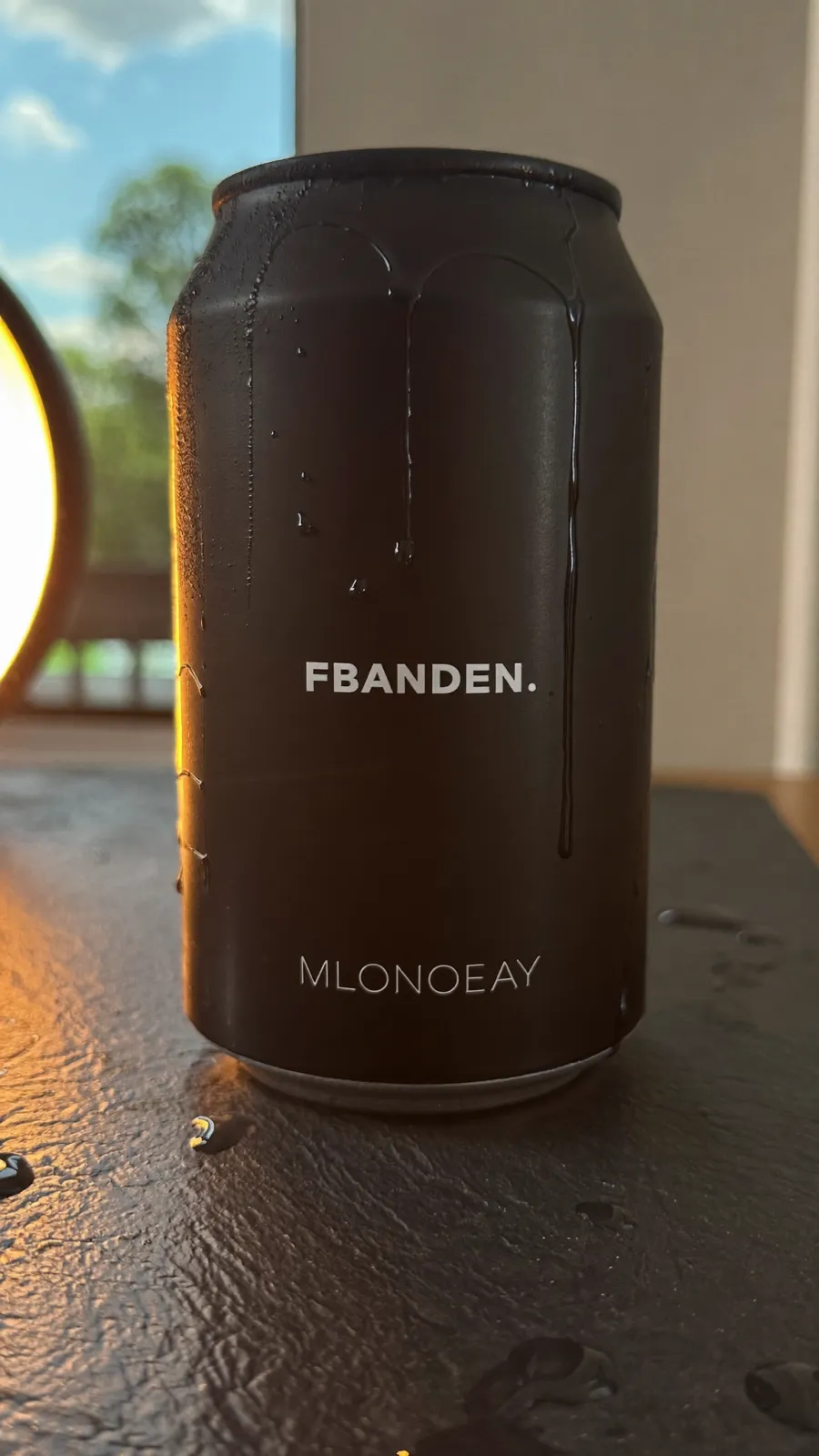 1. Asked for an unbranded can: two lines of invented text.
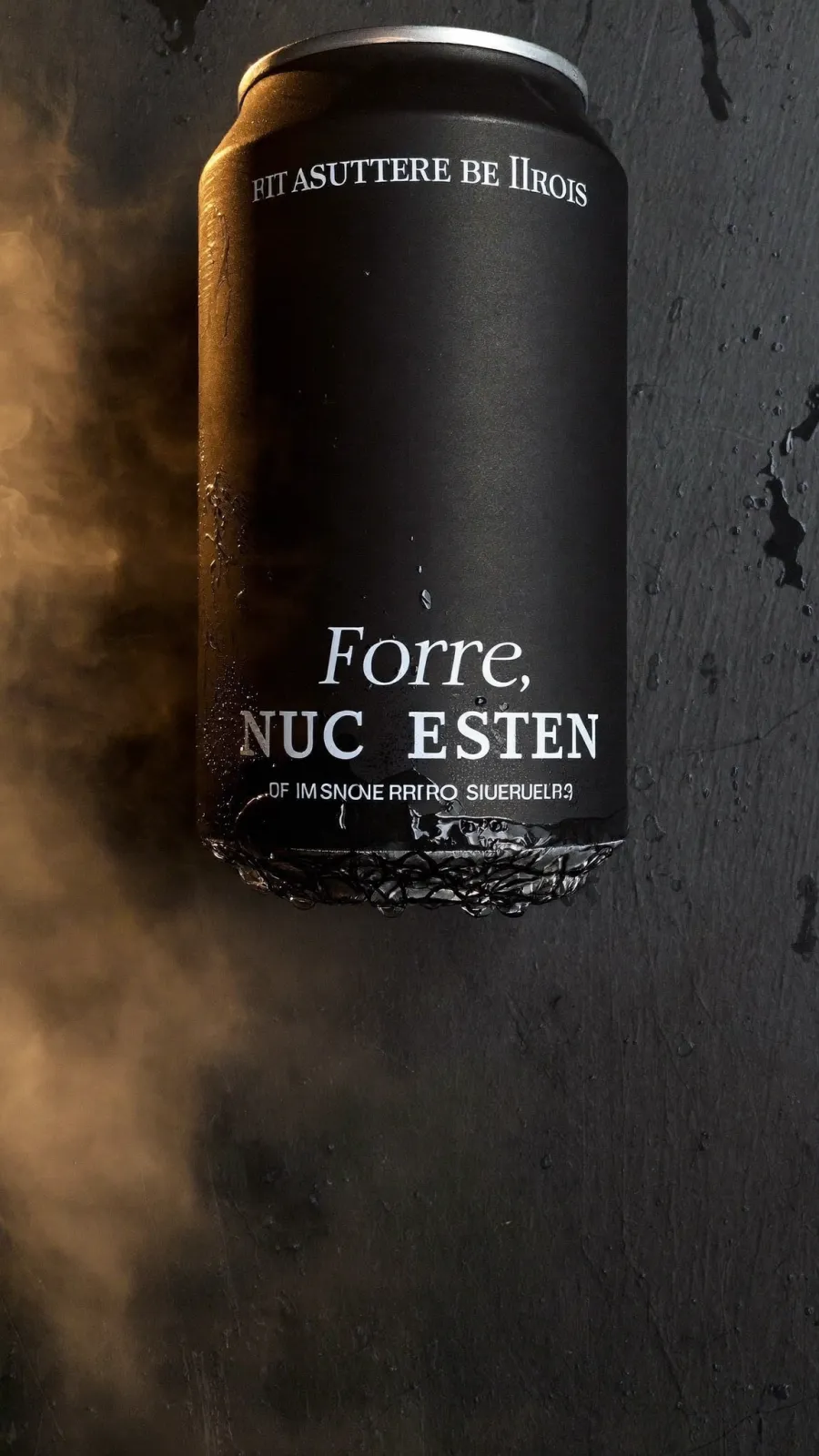 2. Added no text, no lettering, no logo, no typography: four lines, and the steam came back.
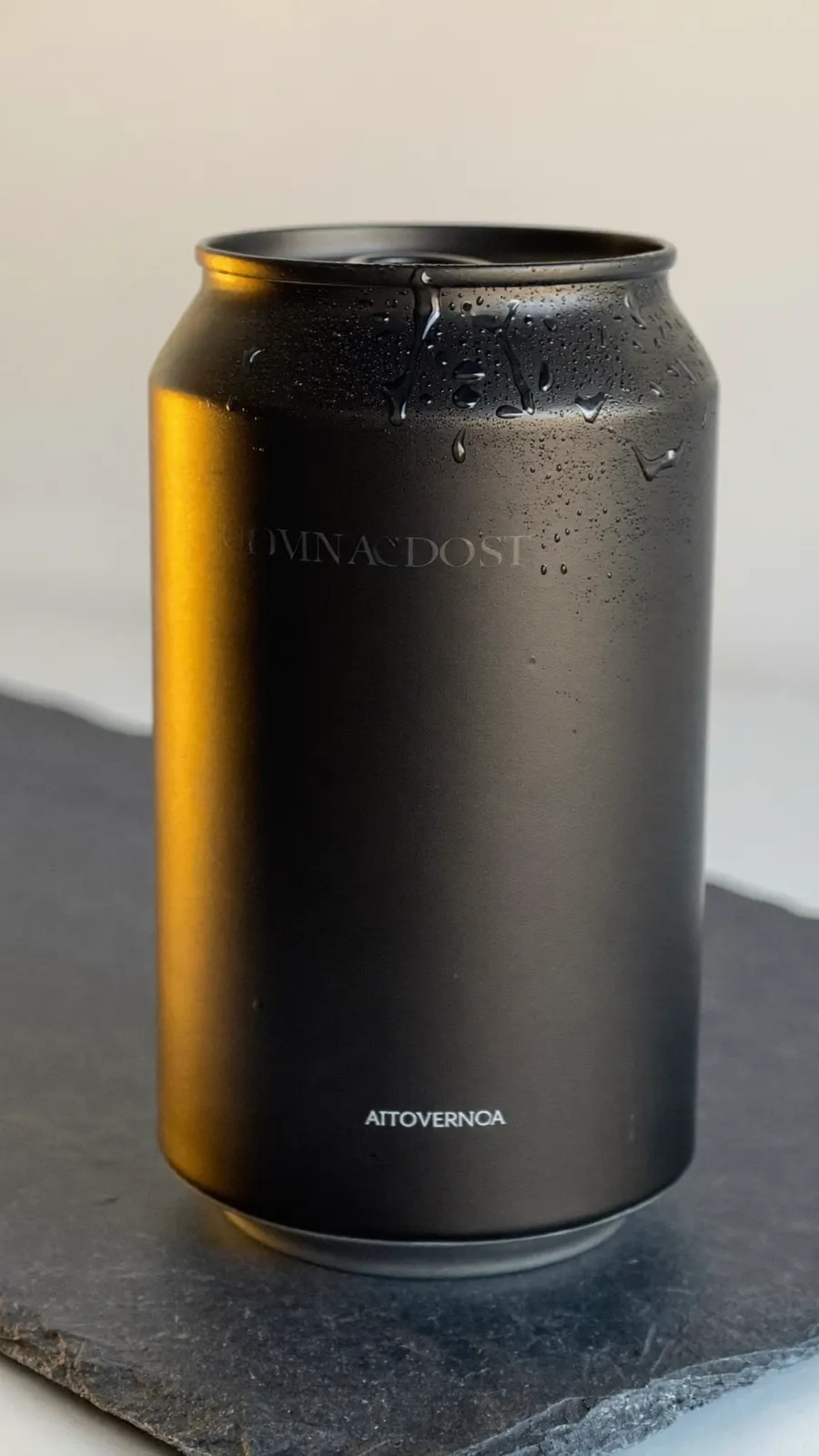 3. Rewritten as a smooth featureless surface and clear dry air: faint text, clean air, the best frame.
Banning text doubled the invented text. Worse, the heavier stack of negatives broke a clause that had been working: no steam, no hot vapour kept the air clear in the first frame and failed in the second. Rewriting positively fixed both at once, and the slate, condensation and rim light all landed for the first time.
The rule I took from it: name what you want in the frame, never what you want kept out of it.
There is a limit, too. Soul 2.0 will not produce a genuinely blank can at any phrasing. Its prior that a can carries words survives every wording I tried, so the right move is to stop paying to fight it and use a model that can do text.
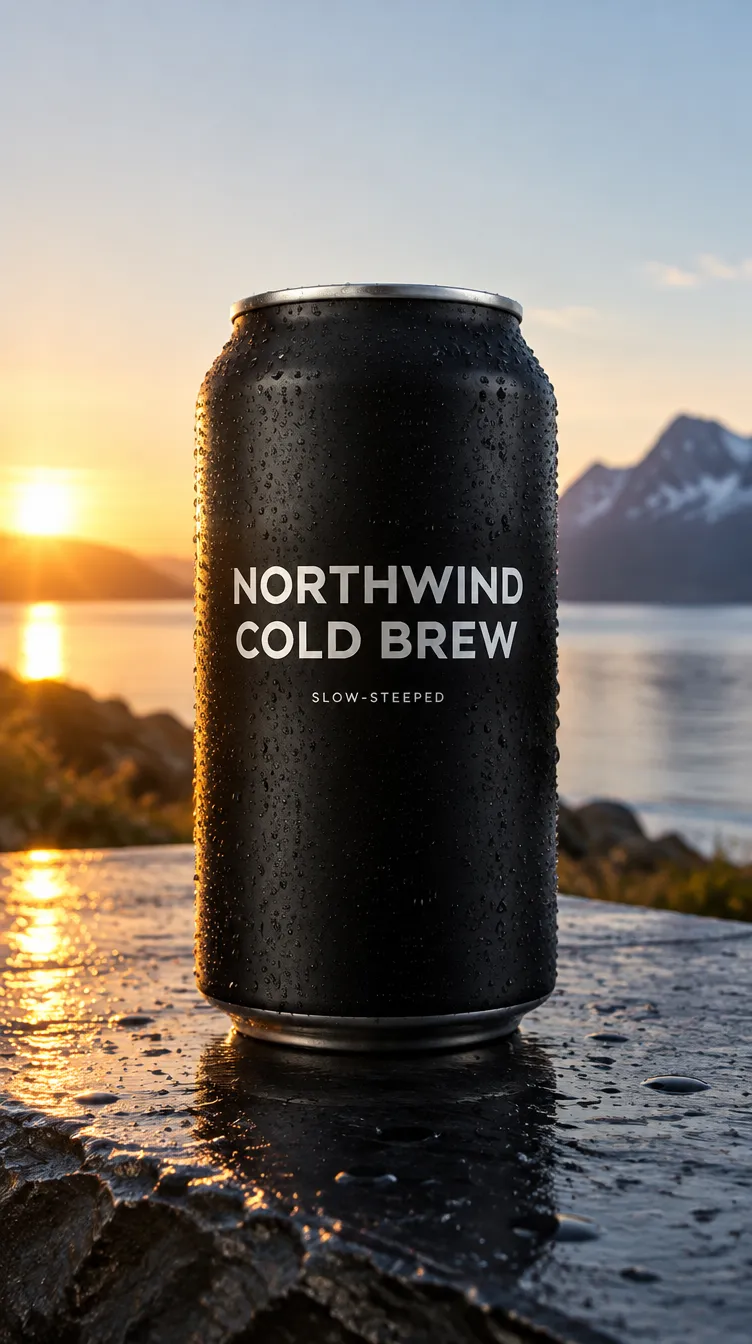 GPT Image 2.5 put the brand name on the can exactly, for 0.25. It also turned a wet slate counter into a fjord at sunrise.
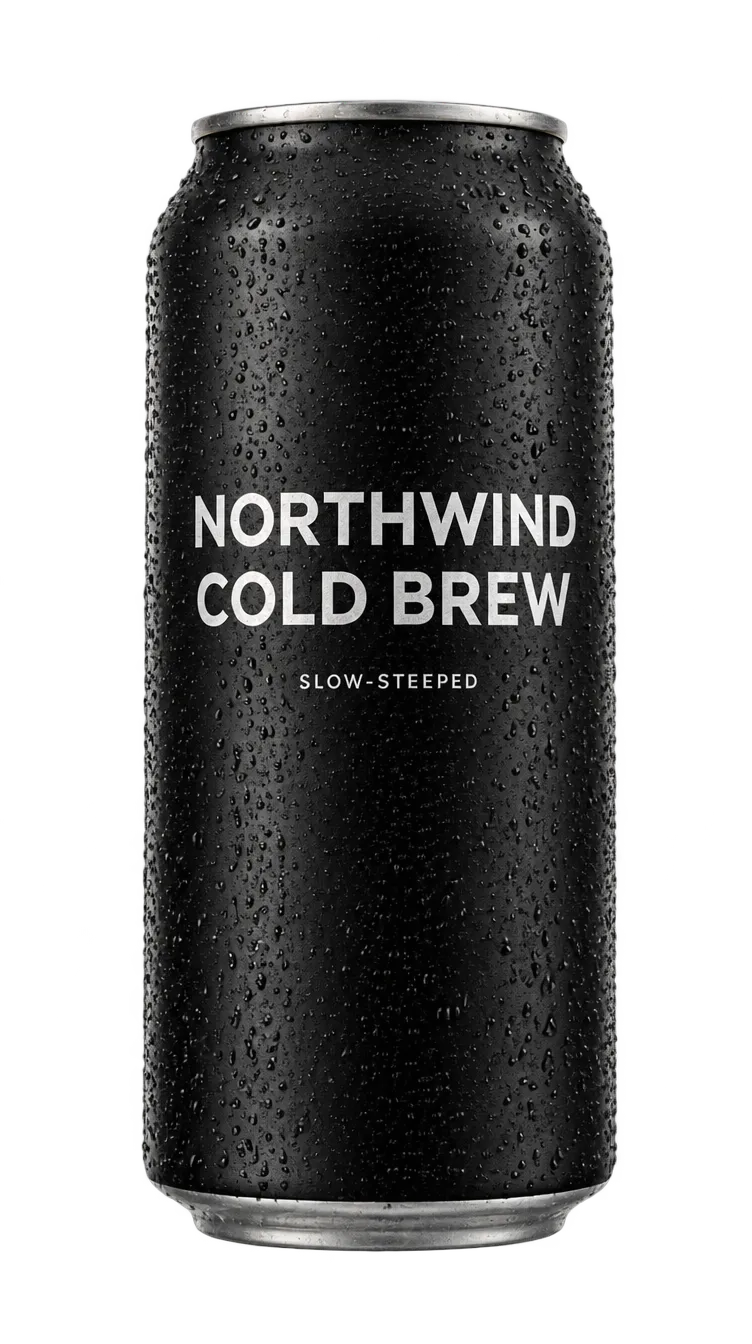 A transparent background for 0.25. It regenerates rather than cuts, so the can drifts from its reference.
GPT Image 2.5 rendered NORTHWIND COLD BREW and SLOW-STEEPED exactly, and that frame became the hero for everything after it. It also overrides settings reliably: asked for wet slate, it composes a landscape around wet slate rock beside water.
Asking it for a transparent background gives a real cutout for 0.25, but the product comes back a slightly different shape. The dedicated background remover costs 1 credit and keeps the exact pixels. The cheap one is fine for a one-off; pay the 1 when a set of assets must show the same product.
Branding: a real vector, and an honest palette
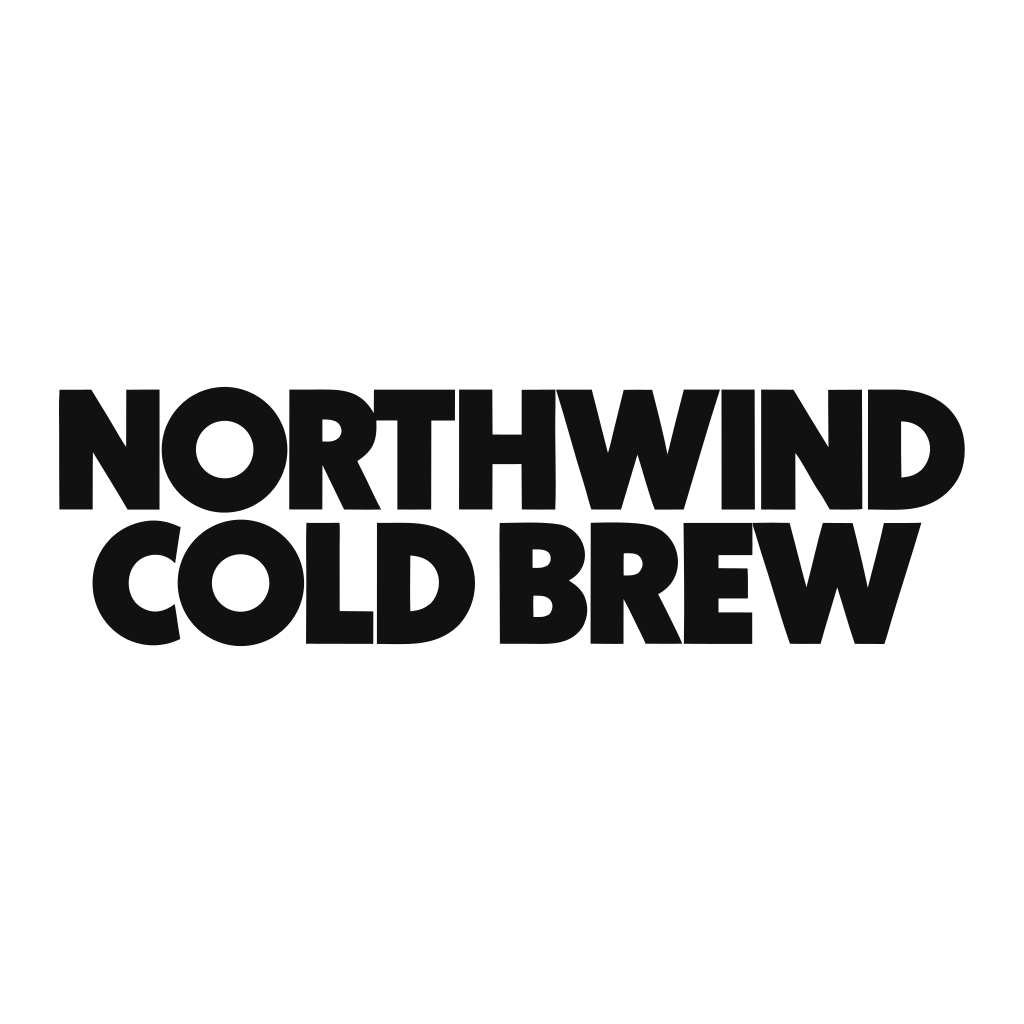 A real SVG: 26 editable paths, for 2.5 credits against 1.25 for raster.
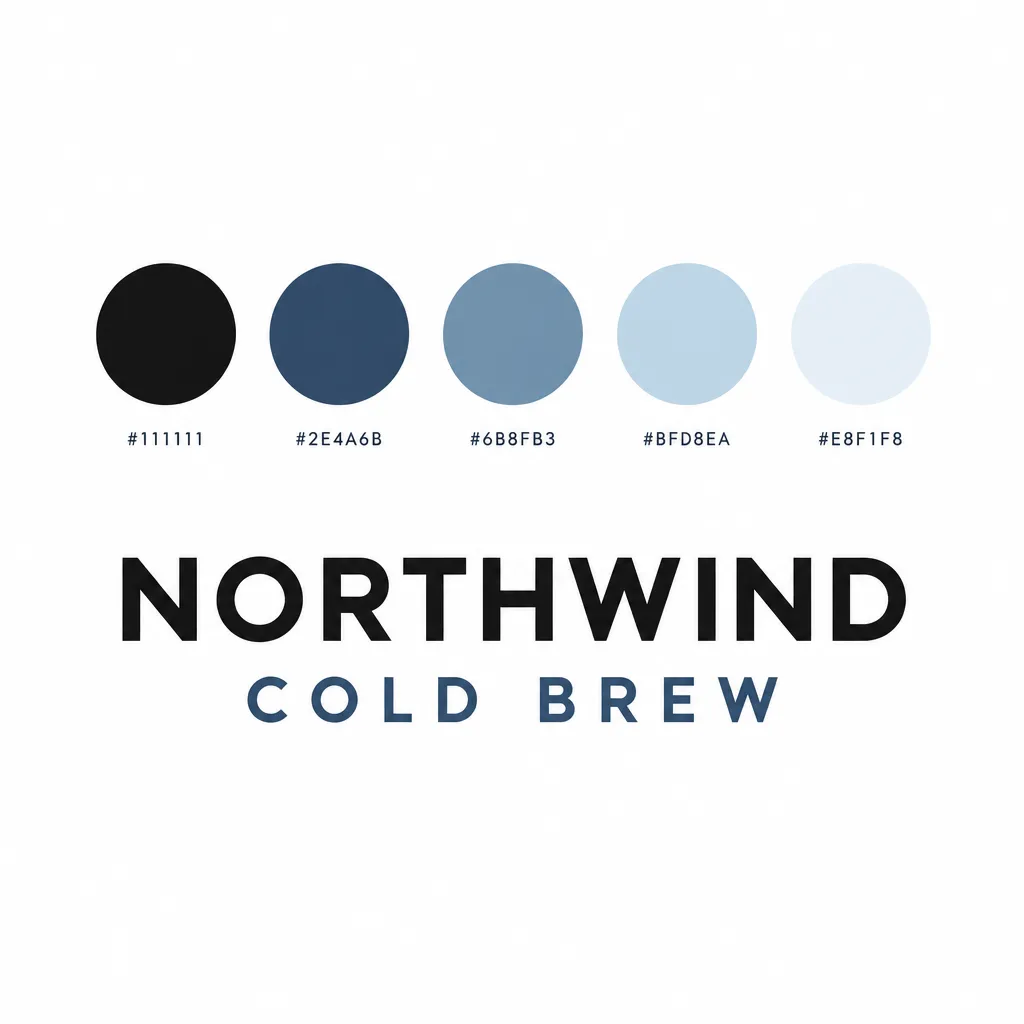 Five swatches with their hex codes printed. Sampled, every code is within 8 of its swatch.
Recraft's vector mode returned a genuine SVG wordmark. The prompt mattered here too: no illustration, no coffee bean became letterforms only, type alone on an empty field, which kept illustration out without ever naming a coffee bean.
The trade-off nobody mentions is that an SVG cannot be imported as a reference for later generations. Vector is the better deliverable and a dead end as an input; if the wordmark has to steer a later prompt, the raster is more useful.
The palette board raised an obvious worry: does the model print a plausible hex code under an unrelated colour? It does not. Sampled against its own swatches, the largest error on any channel was 8 out of 255, which is render noise. A generated brand board is a usable palette source.
Social assets: consistency comes from references
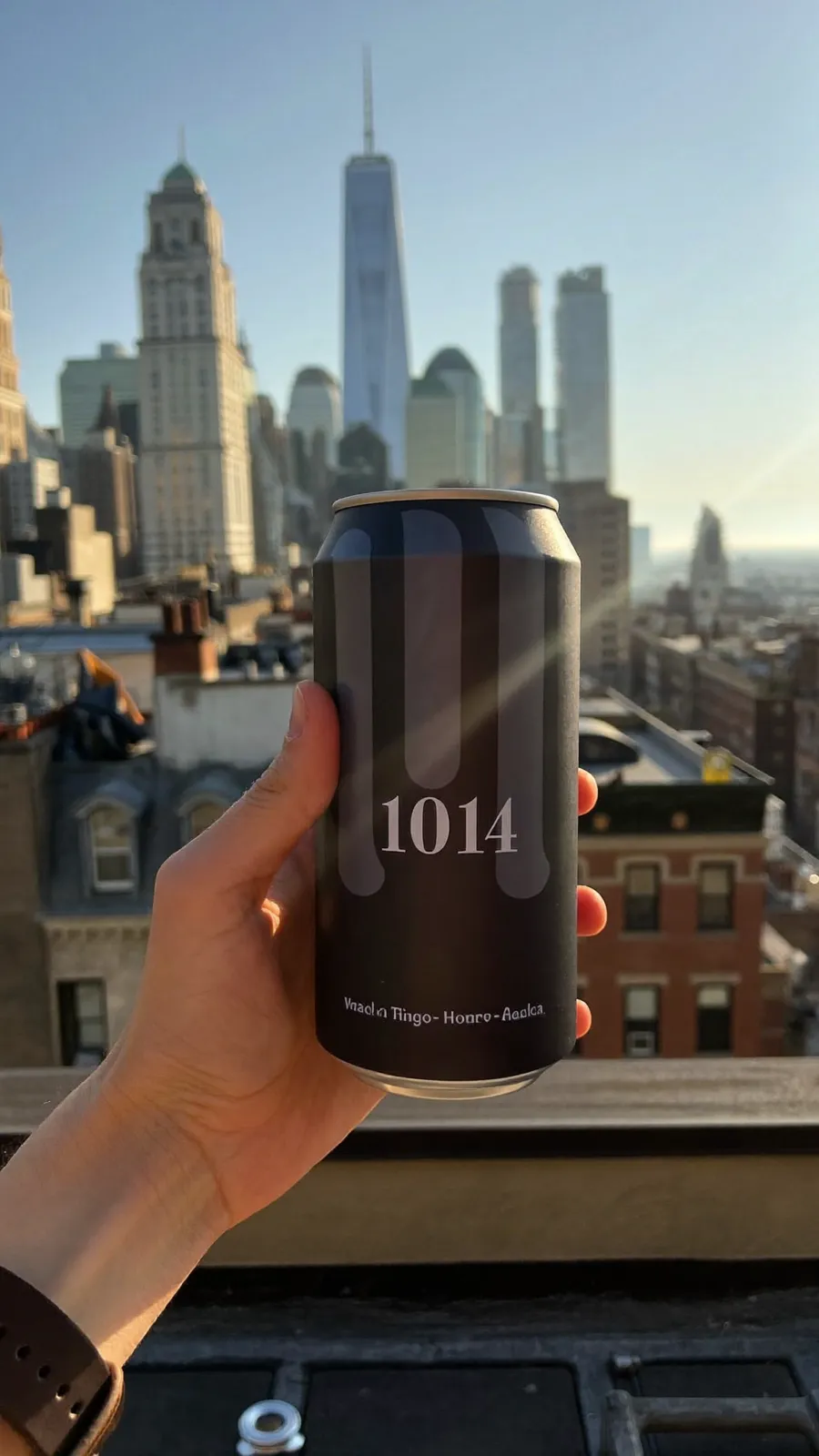 The prompt said matte black #111111. The model printed 1014 on the can and left the colour a warm brown.
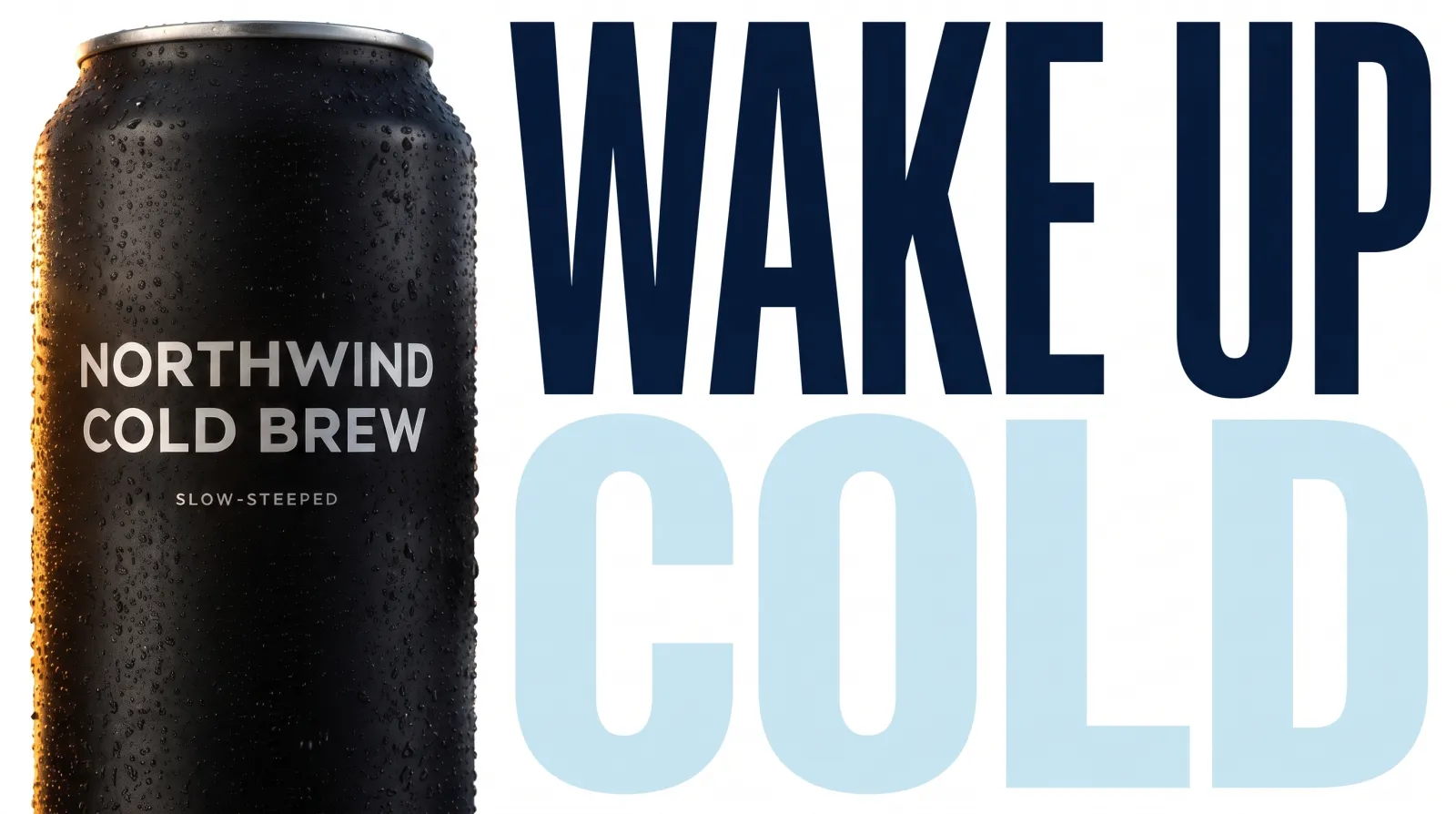 Made with the hero still passed as a reference: the product came back exact, the described colours did not.
Never put a hex code in prose. The lifestyle shot asked for a matte black #111111 can, and the model printed 1014 on it in large type while the colour came back #433B35, nowhere near black. Hex belongs in a real colors parameter, which only some models have.
The thumbnail showed both halves of the more important rule in a single job:
| Asked for | Result | Off by |
|---|---|---|
| The product, as an image reference | Exact: label, type, placement, condensation | 0 |
Pale ice blue #BFD8EA, in words | #C7E4F2 | 12 of 255 |
Deep navy #2E4A6B, in words | #071A38 | 51 of 255 |
| A near black background, in words | White | Ignored |
If you want a consistent brand across assets, pass the approved image. Describing it, however carefully, drifts.
The ad, built in four cuts
Cut 1, the hero. Animated for 5.
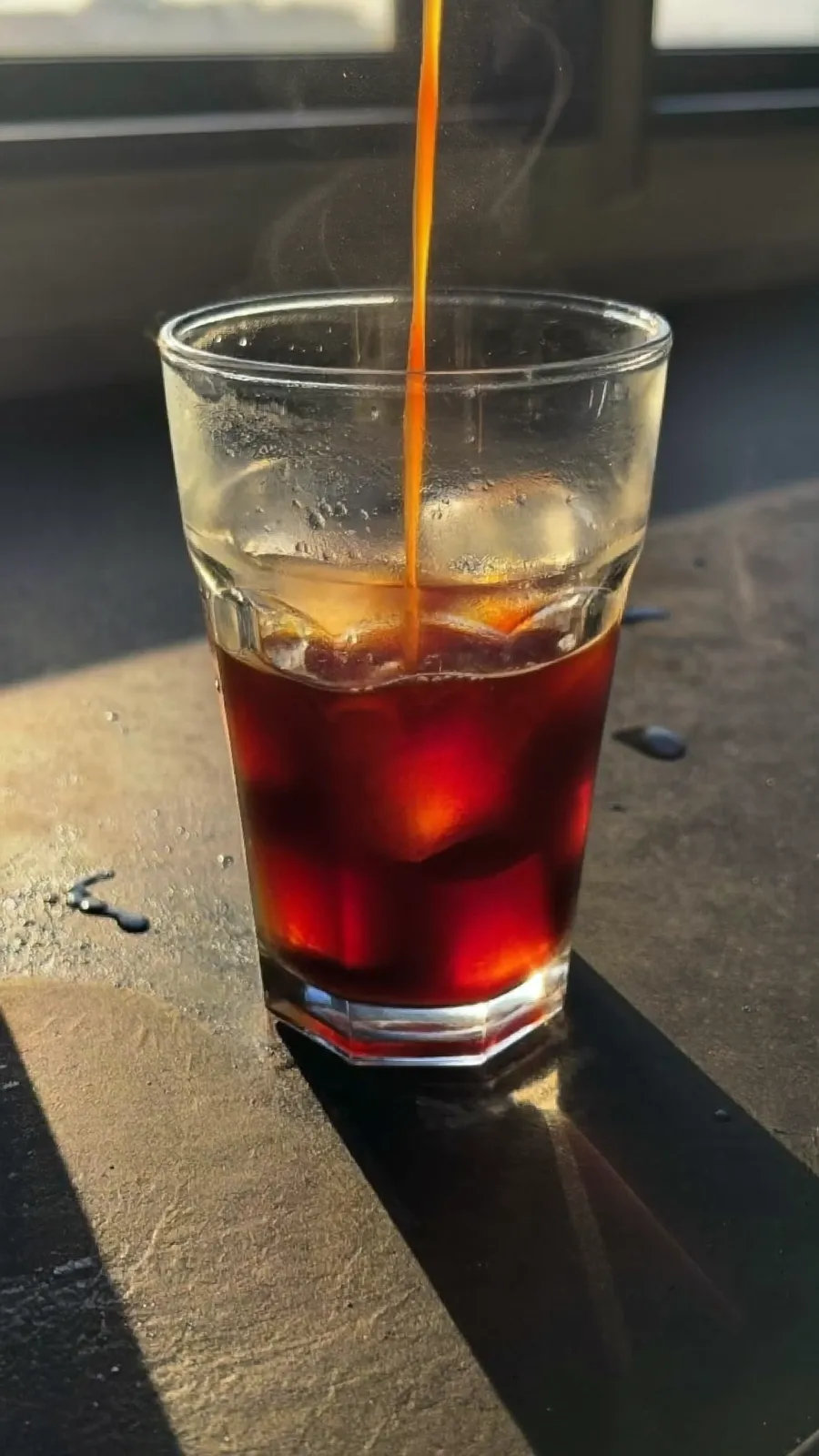 Cut 2, the pour. A 0.12 still, animated for 5.
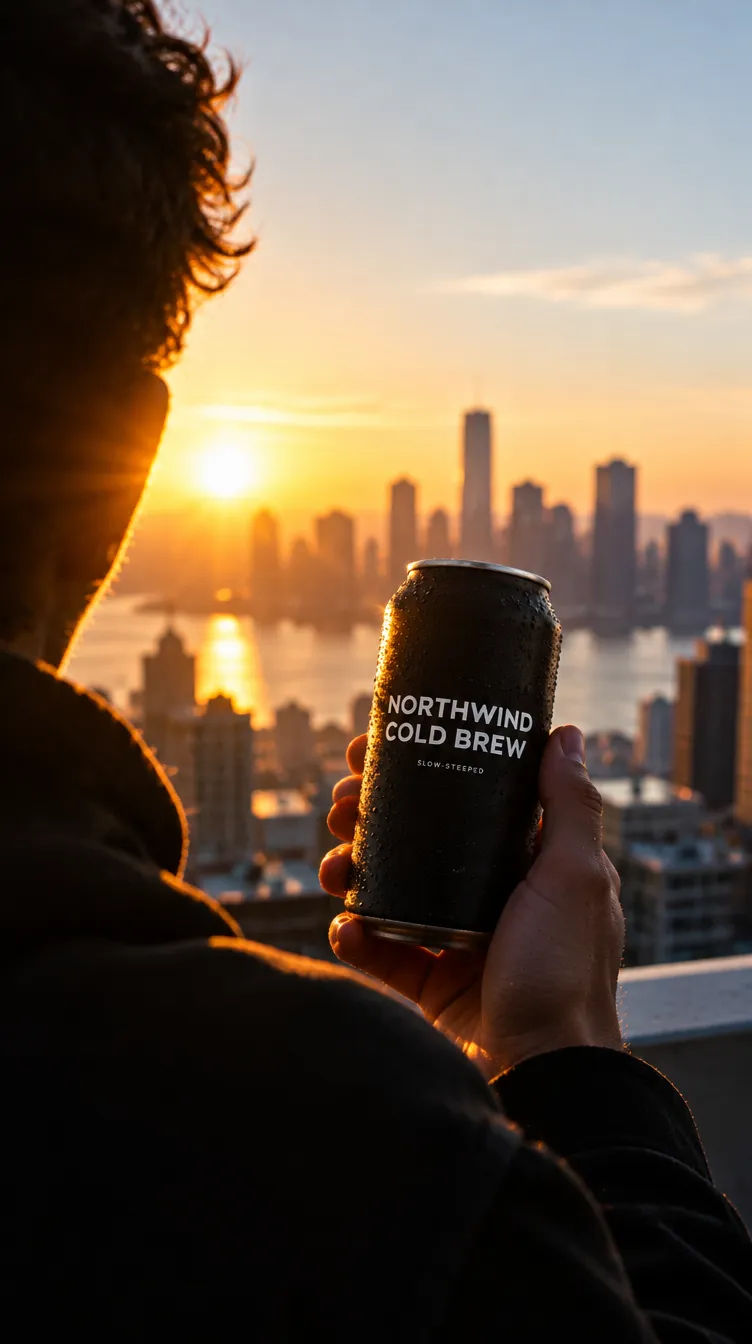 Cut 3, the rooftop, made with the hero as a reference.
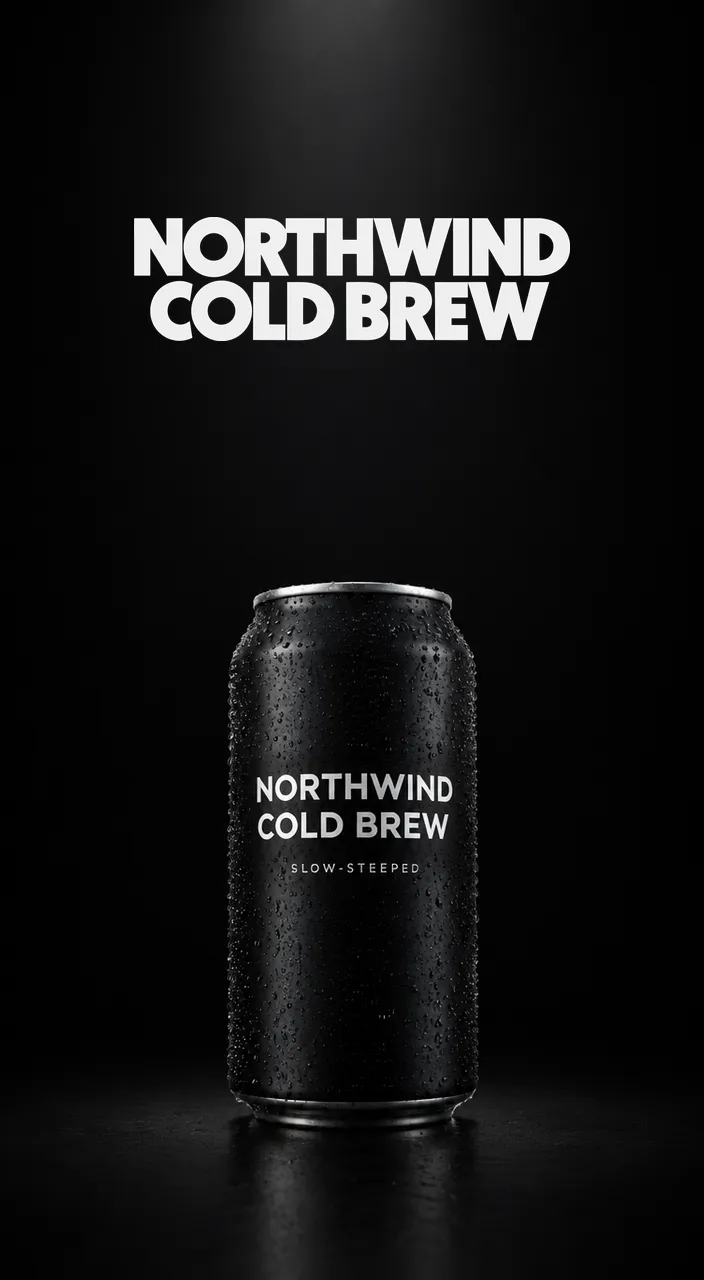 Cut 4, the end card. No video model: a slow zoom in ffmpeg.
Each cut started as a still and was animated once with Grok Imagine Lite. The brand name baked into the hero still stayed fully legible through a hard push-in to a macro of the label, which is the claim the approach rests on: the route to text in a video ad is a text-capable still first, never asking a video model for words.
The end card is a logo on a near-static frame, so paying 5 credits to barely move it would be exactly the spend this approach argues against. It is a slow zoom on the approved still, with the vector wordmark composited in, and a silent audio track so it can be joined to the others:
ffmpeg -loop 1 -i 04-endcard.png -f lavfi -i anullsrc=channel_layout=stereo:sample_rate=48000 \
  -t 5 -filter_complex "[0:v]scale=2112:3840,zoompan=z='min(zoom+0.0004,1.12)':d=120:x='iw/2-(iw/zoom/2)':y='ih/2-(ih/zoom/2)':s=704x1280:fps=24,setsar=1[v]" \
  -map "[v]" -map 1:a -c:v libx264 -pix_fmt yuv420p -c:a aac -shortest 04.mp4
The stitch had one surprise. Identical parameters on the video model returned 704 pixels wide twice and 720 once, so a stream-copy concat cannot join the cuts. Normalising every input first does:
ffmpeg -i 01.mp4 -i 02.mp4 -i 03.mp4 -i 04.mp4 -filter_complex \
  "[0:v]scale=704:1280,setsar=1,fps=24[v0];[1:v]scale=704:1280,setsar=1,fps=24[v1];[2:v]scale=704:1280,setsar=1,fps=24[v2];[3:v]scale=704:1280,setsar=1,fps=24[v3];[v0][0:a][v1][1:a][v2][2:a][v3][3:a]concat=n=4:v=1:a=1[v][a]" \
  -map "[v]" -map "[a]" -c:v libx264 -crf 18 -pix_fmt yuv420p -c:a aac -b:a 192k northwind-ad.mp4
Assembly is free, so all of it happens off the clock. What the ad still lacks is an audio bed: the generated tracks are real but quiet.
Hypermotion: one job, more than half the bill
Marketing Studio's hypermotion workflow is fast cuts, hard zooms and macro detail, at about 6 credits a second. I ran it once, with the Pull Tab Macro preset and the hero still as the input frame.
There are 82 presets, and on the command line their names are all you get. Over the connector, though, every preset carries a free preview video. Tiling a few frames from each candidate into one contact sheet turned four plausible names into one obvious answer in about a minute: three were product orbits with no person in them, and only Pull Tab Macro had a human hand.
The real unknown was which one wins, the preset or the input frame. The preset's own demo is a purple can on flat mint. My frame was a black can on wet slate at a fjord at sunrise.
The input frame won. The fjord, the slate, the light and the can all came through. What the preset supplied was the shot order and the camera: macro of the label, pull out to the hero, a hand on the tab, coffee down the condensation, and a closing card. A preset is a storyboard run against your scene, not a look stamped over a cutout, so the leverage is still in the cheap still that feeds it.
The clip also ends on "TASTE THE COLD.", which no prompt asked for. The preset carries a copy template and rewrites it for the product it is given. It is good copy, correctly spelled, and also not under your control, which is fine for a learning project and wrong for a brand with fixed messaging.
Pricing before spending caught three things my own notes had wrong, for free: the resolution parameter is ignored by hypermotion (it came back 1440x2560 regardless), the media input takes a different shape than documented, and a preset is slightly cheaper than a free-form prompt, 30.15 against 30.65. The job took five to six minutes, so budget the wall clock as well as the credits.
What I would tell someone starting
- Write prompts positively. Negatives attract what they name.
- Keep hex codes out of prose. Use a real colour parameter, or composite.
- Get consistency from an image reference. Colour words drift by as much as 51 of 255.
- Price the resolution grid for every new model; two of the five here had a cliff.
- Iterate on stills that cost cents, and animate only a frame that is already right.
- Put text on a still with a text-capable model, then animate it. It survives.
- Watch a preset's free preview before paying 30 credits for it.
- Do every bit of assembly locally. ffmpeg is free.
- Check a model's own parameter list before trusting any document, including your own.
Sources
- Nate Herk's walkthrough of Claude Code driving Higgsfield (opens in a new tab), YouTube, the video this project followed
generative aihiggsfieldclaude codepromptingffmpeg